WhichClaw

WhichClaw

One Hub. All Models. Every Coding Tool.

Works on macOS, Windows & Linux. Free & open source.
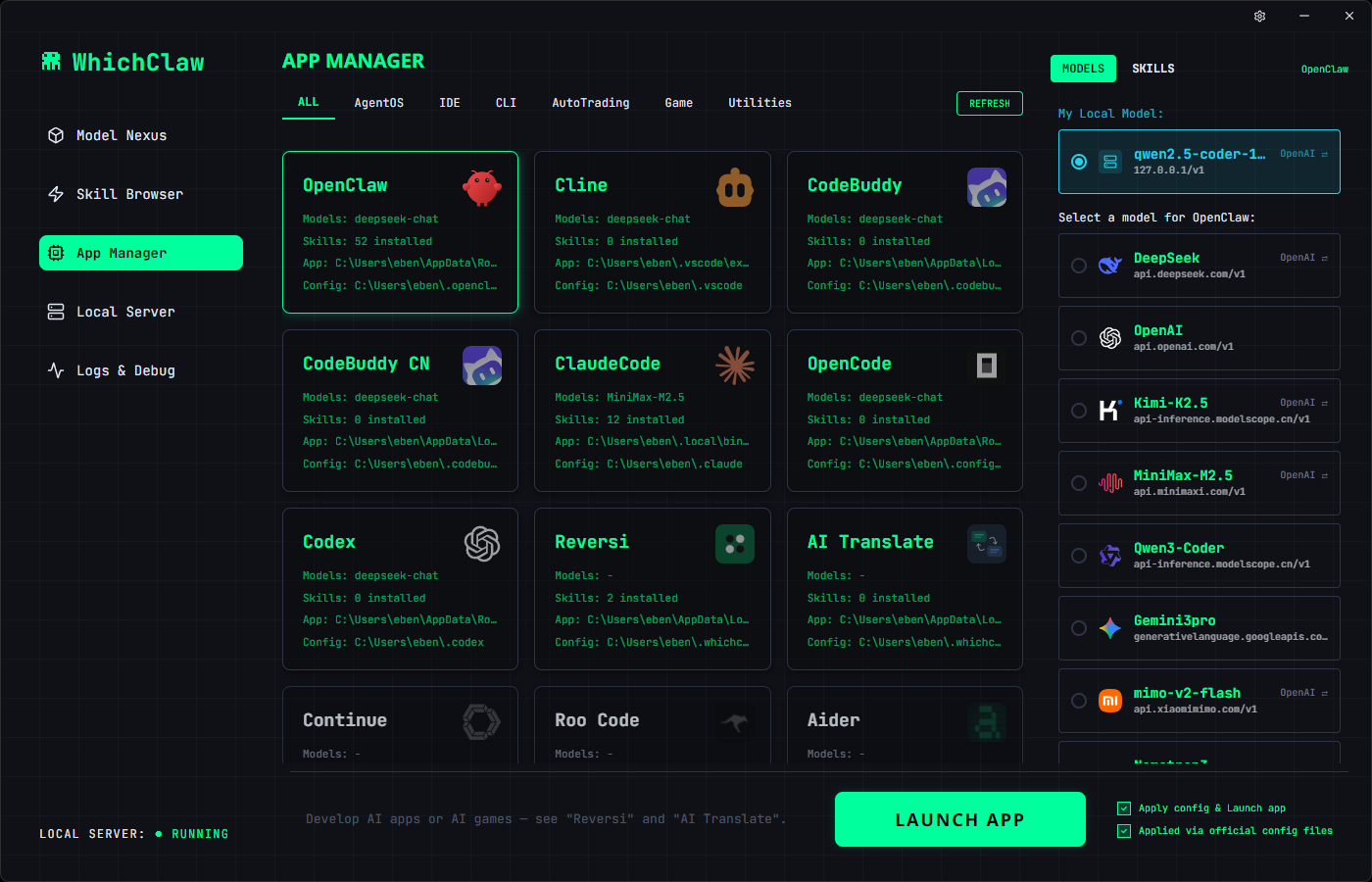
WhichClaw App Manager
FEATURES

Switch models.
Not config files.

WhichClaw is a visual control panel for all your AI coding tools. Point, click, switch.

🎯

One-Click Model Switching

Visually configure AI models for any supported tool. No more digging through JSON files or editing configs by hand.

🔀

Dual Protocol

OpenAI & Anthropic API. Switch anytime.

🚇

Smart Tunnel Proxy

Access geo-restricted APIs. No full VPN needed.

🖥️

Local Model Server

Run Qwen, DeepSeek, Llama and other open-source models locally via built-in llama.cpp server. Your data stays on your machine.

🧩

Skill Browser

Discover and install AI skills across tools.

🎮

Built-in AI Apps

Reversi, AI Translate. More coming.

🌍

28 Languages

Full i18n for global developers.

SCREENSHOTS

See it in action.

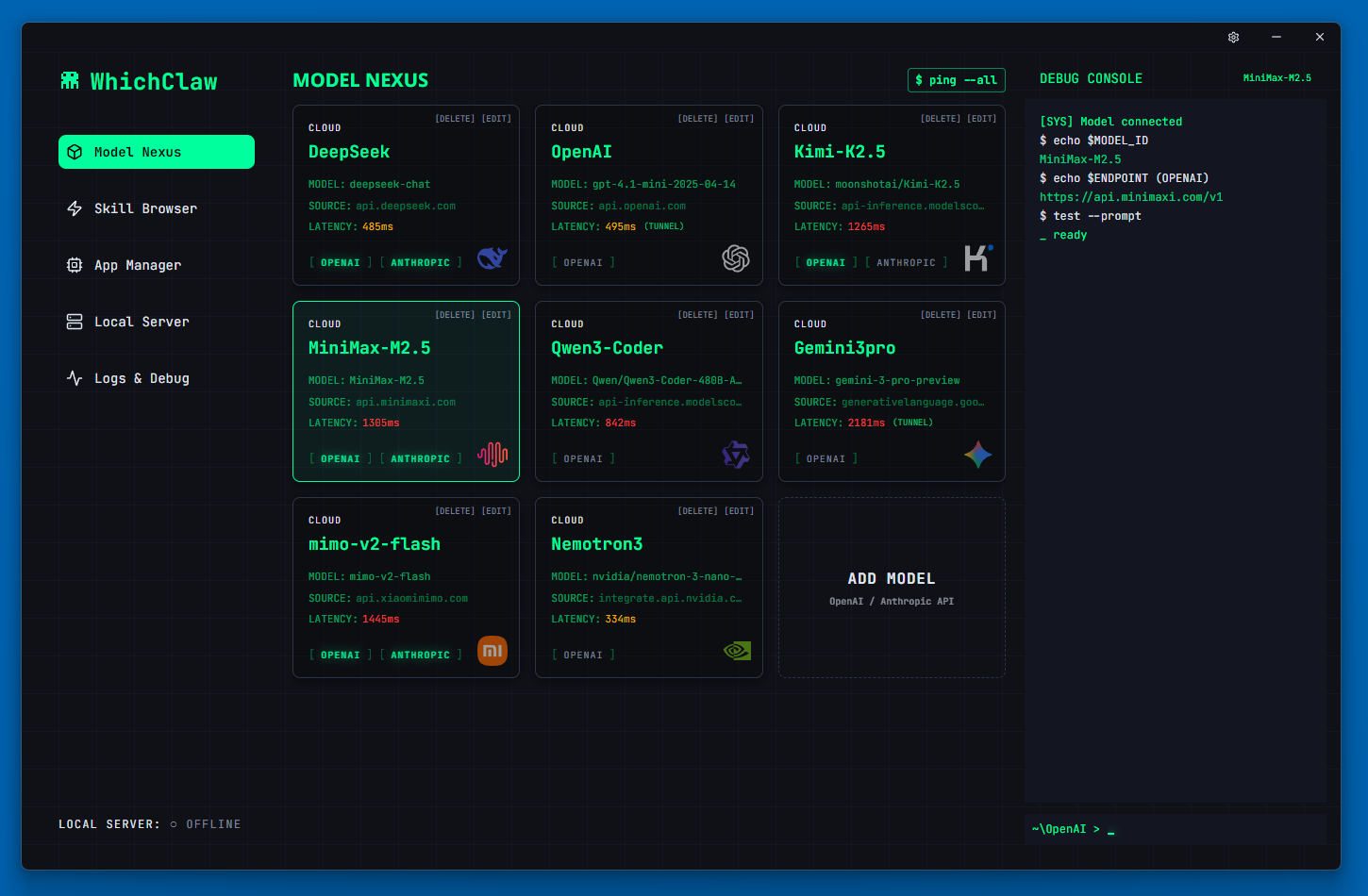
Model Nexus — Manage all AI models in one place
Model Nexus
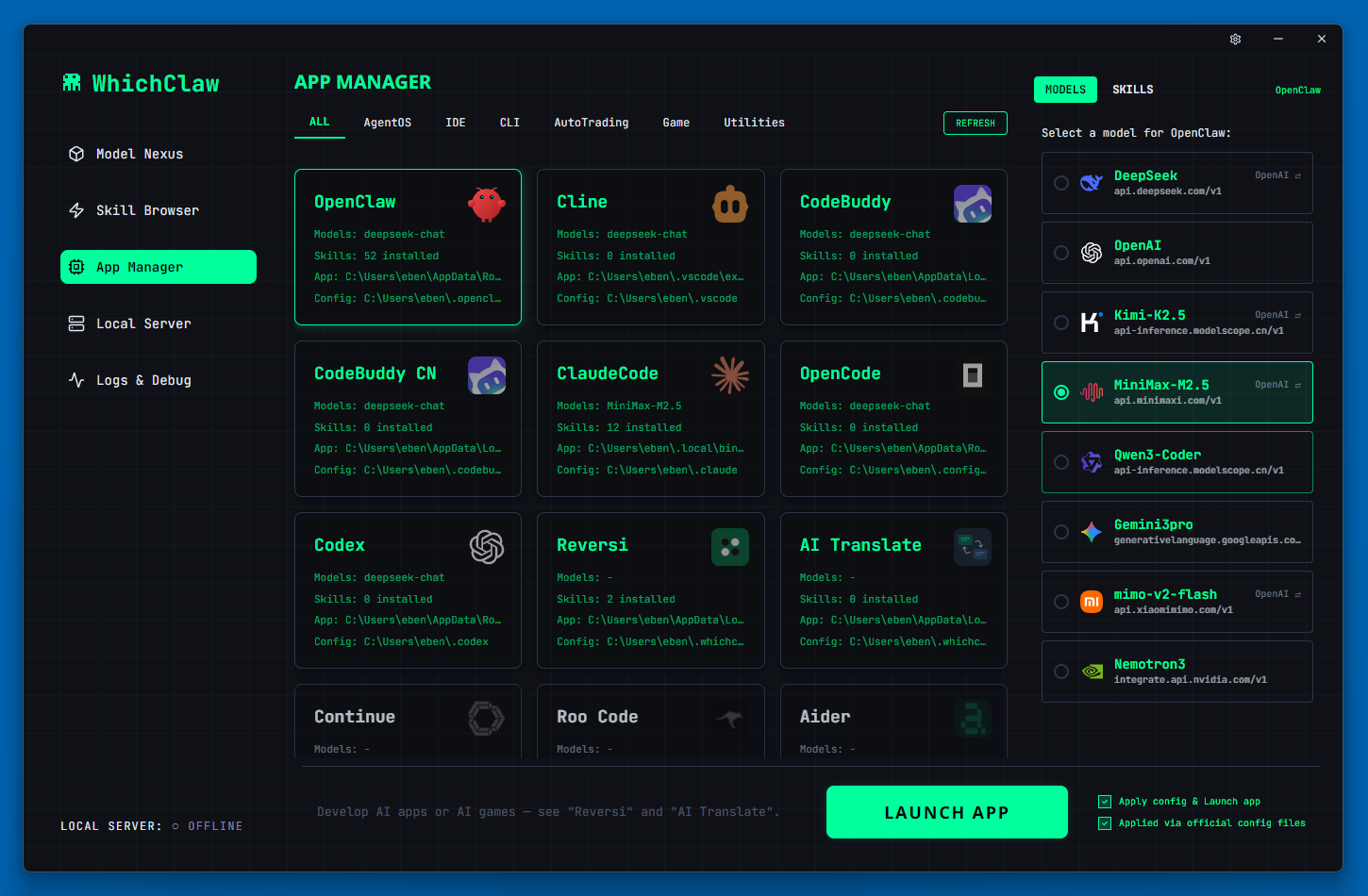
App Manager — One-click model switching for all tools
App Manager
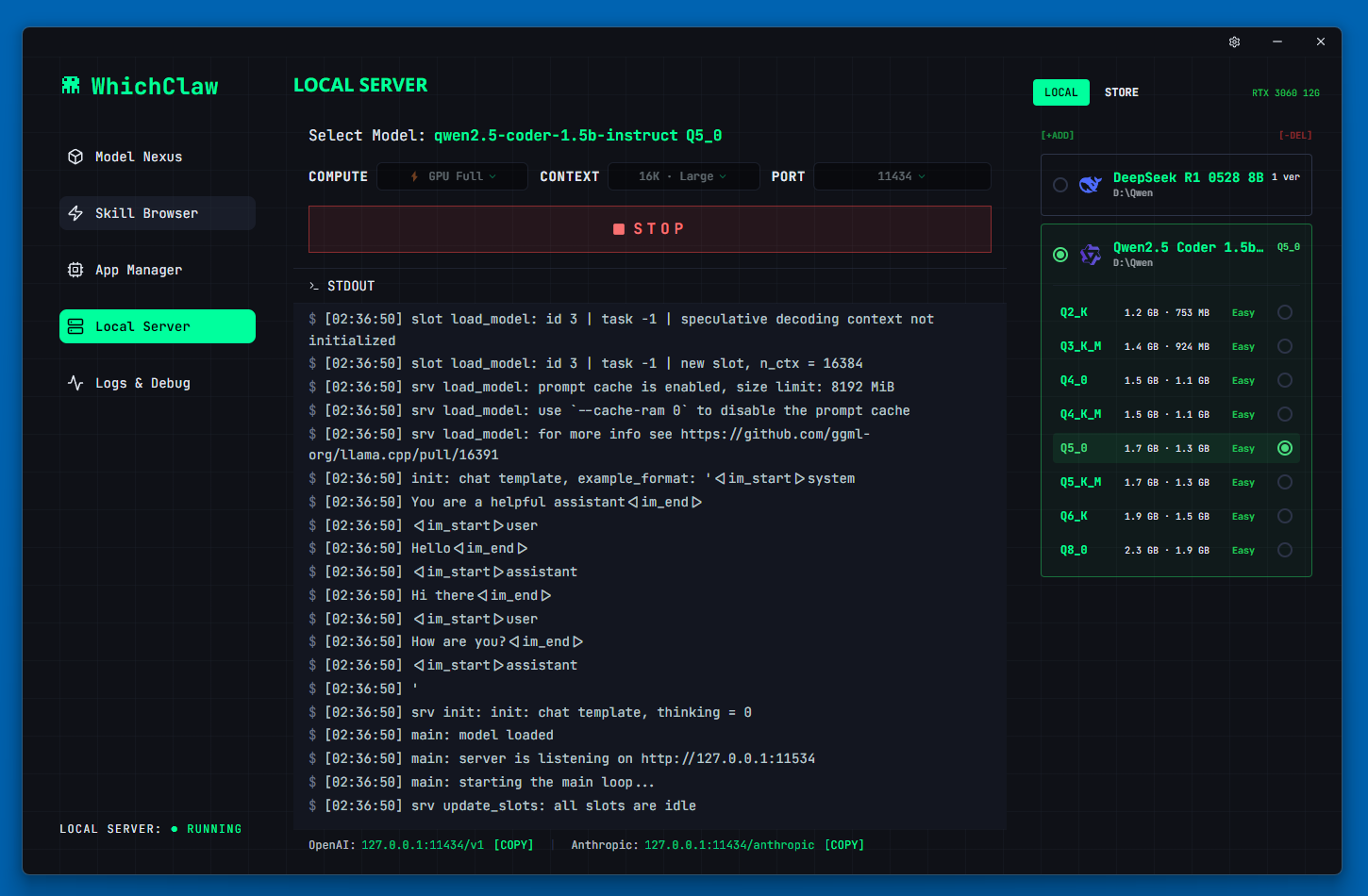
Local Server — Run open-source models locally
Local Server
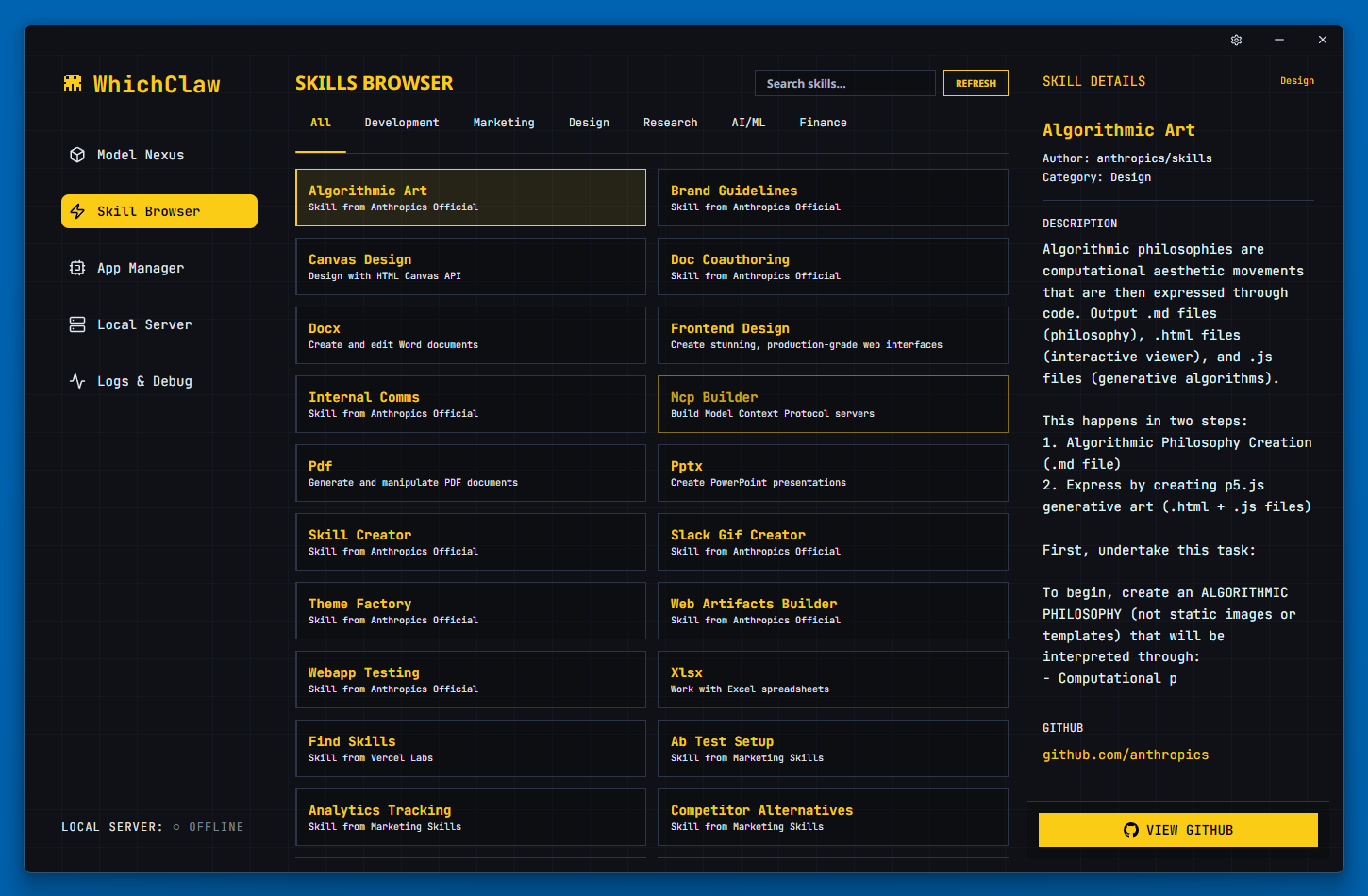
Skill Browser — Discover and install AI skills
Skill Browser
DOWNLOAD

Get started in seconds.

Download WhichClaw for your platform. Free, open source, MIT licensed.

🪟

Windows

Windows 10+, x64
Download
🍎

macOS

macOS 11+, Universal
Download
🐧

Linux

AppImage, x64
Download
terminal
# Linux quick start $ chmod +x WhichClaw-*.AppImage $ ./WhichClaw-*.AppImage # Need FUSE? $ sudo apt install libfuse2
WORKS WITH

Your favorite tools.

Manage AI models for 7 coding tools and growing.

OpenClaw
OpenAI / Anthropic
Claude Code
Anthropic
Cline
OpenAI
Continue
OpenAI
OpenCode
OpenAI
Codex
OpenAI
Roo Code
OpenAI